
My 10 Groovy Commandments — Sharing My 10 Personal Guidelines to Succeed on Groovy Scripts

This post is around Oracle EPM Cloud Planning.
1 – Better avoiding Groovy in the first place !
I like to spread the word around me that one should avoid having to use Groovy in the first place: it’s only with good knowledge on the product you’re working on (in my case, EPM Cloud Planning) that you can assess whether Groovy might be considered and needed. After having assessed if the requirement you have can or cannot be addressed by some out of the box feature, then maybe you would consider Groovy capabilities.
2 – Look for some use cases that may inspire you
There are plenty of resource available through the Internet: Oracle official documentation, Oracle official videos or tutorials, personal blogs, forums in Cloud Customer Connect., …
The Groovy Scripting Reference can also give some help on Groovy topics such as Understanding Null Versus the Empty String
Some tutorials are available within the Administering Planning documentation: example with “ Working with data grids and iterators in Groovy “
Some useful URL which I found out quite recently is about finding blogs of ACE Associates, ACE Pros or ACE Directors thanks to the ACE directory available here: most of them have a profile on which you can directly access their personal blogs.

3 – Look into the official documentation
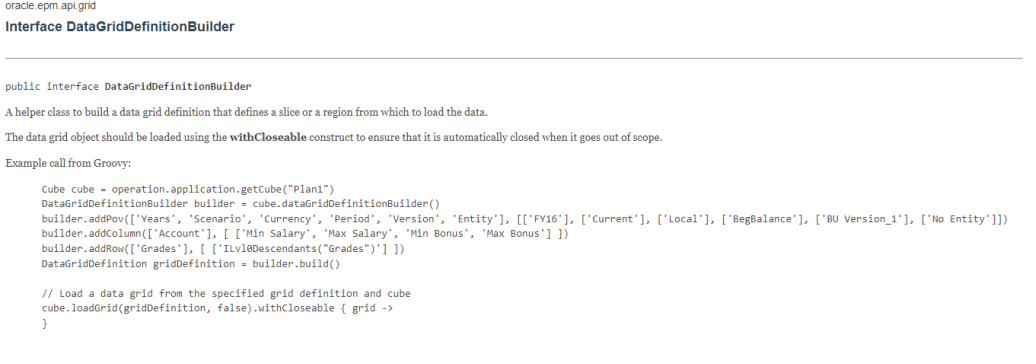
The official Groovy Rules Java API Reference of Oracle EPM Cloud is certainly a good way to understand what’s available, and what’s possible. Of course, one has to follow closely to the monthly updates since it will bring more and more possibilities. It can contain already some examples that can give you a start, avoiding the stress to start from a blank script:
4 – Don’t give up
Whenever implementing groovy rule within EPM Cloud can be cumbersome, especially for learners like you and me. Best advice I can give is to keep trying until the rule validates and runs as expected. How did you feel when you wrote your first groovy rule that validated with no error? And then, how did you feel when this rule was running as expected?
5 – Consider “println” your best friend
While implementing/debugging, overindulge in displaying variables & their value in a log (job console or log file). When rule testing is completed with success, do remove these lines! (see Groovy Commandment n°9 below). If you feel limited by the 20k limits of characters, you can redirect to any text file.
6 – Use variables wisely
Avoid hard coded strings, to avoid typos in your code and to factorize. In the same manner you would be interested in using Substitution variables in classic business rules, you would also be interested in using Groovy variables in groovy business rules. Put at the beginning of the script makes it easier to read & maintain.
7 – Comment the code
This one seems obvious, but like documentation, we tend to avoid or procrastinate for this, probably for good and bad reasons. Be more generous to both your peers and yourself: who knows if you are going to read this piece of code in 6 months, would you still be able to understand what is happening?
In my experience, it’s always been good to provide comments at 3 levels:
- State what is the purpose of the rule: “The purpose of this rule is to update all substitution variables” or “The purpose of this rule is to export data”
- General steps at the beginning of the script, with business/functional terminology: “It has 3 steps; 1) read the current data grid; 2) check the flags on all entities; 3) export data to CSV file”
- Technical comments wherever and whenever needed: “This method sends back the alias of the code member provided as an argument”
8 – Indent the code
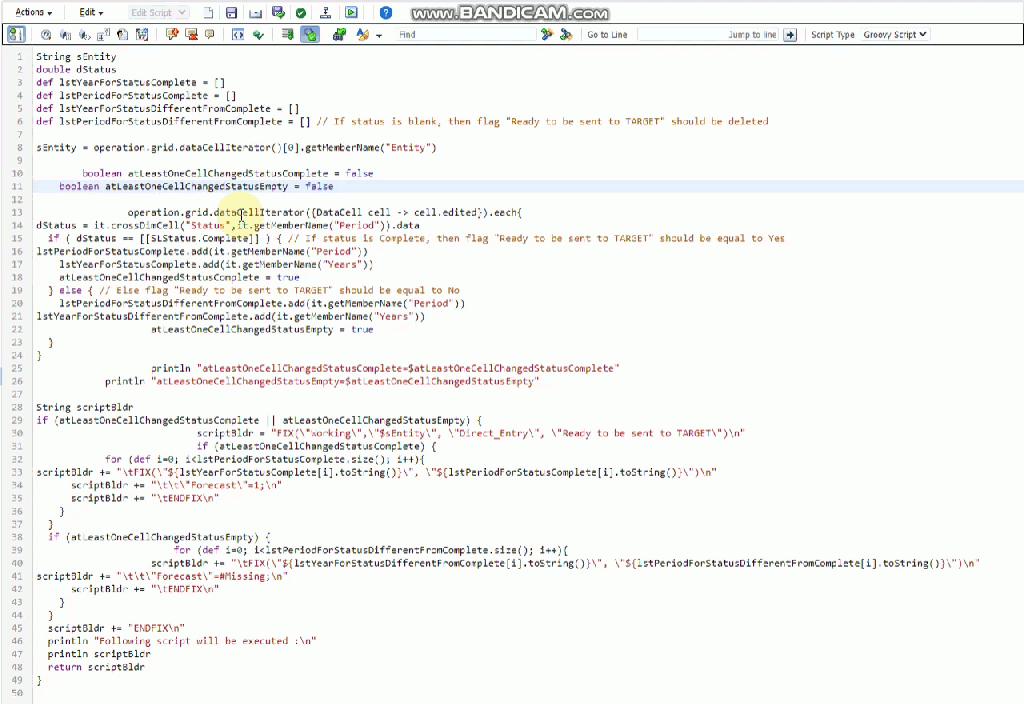
Like the previous one, this one will allow more readability. I also pay attention to use line spaces with care: it’s all about finding the right balance!
Quick tip available in Calculation Manager (so that you have no more excuse!):
- Select all (CTRL + A)
- Auto indent (MAJ + TAB)
9 – Be minimalist
I was sometimes tempted to keep pieces of code “just in case”, but I think this is a bad practice since it can only increase the attention that someone else will put on reading and trying to understand. If you want to keep unused pieces of code, make yourself an organized KM folder or notes.
10 – Keep on learning
I can say I have a Java programming language background, which on one hand has proven to accelerate my learning curve, but on the other hand has also given me some headaches (and it’s not over yet) about some concepts that are specific to Groovy. Obviously there is still a lot to learn…
What are you already putting in place in your routines? Anything not listed here that might be helpful to the community? Feel free to share or comment below.